OpenCanvas 6.0.17 (x86/x64) Portable
This post was published 10 years ago. Download links are most likely obsolete. If that's the case, try asking the uploader to re-upload.
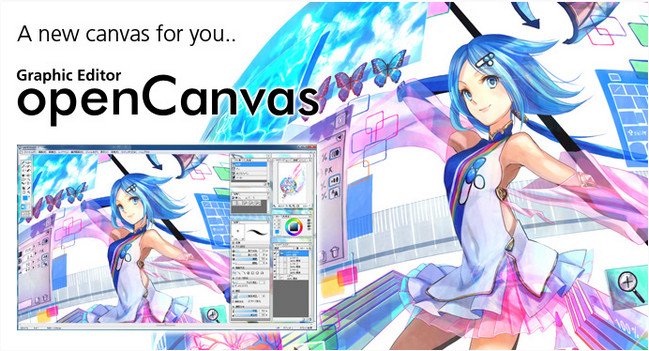
OpenCanvas 6.0.17 (x86/x64) Portable | 8.1 Mb
openCanvas is a painting software dedicated to Windows Operating System, that is suitable to beginners to advanced users. Equipped with analog-like brush strokes and functional yet user-friendly interface, openCanvas has the higher basic performance and the unique "Event" function that enables to record and replay the drawing procedure. Various functions and excellent performance of openCanvas strongly support visualizing your creativity. Enjoy creating an illustration with openCanvas!
Function Overview
- There are various brush types, such as a pen gives a hard line, a watercolor brush mixes colors, and many more.
- Multifunction filter enables to visualize a complicated expression by hand. You can easily apply effects to an illustration by using a filter.
- Transform is used not only to scale and rotate but also to skew and distort an illustration freely.
- 22 types of Layer Mode let you express an unlimited possibility.
- The editable Text Layer enables you to design various texts.
- The lag caused by Sharpen Level has been improved by algorithmic correction. Smoother and more stabilized brush stroke is available.
- Display control tools (move/rotate/scale) are concentrated in one spot, therefore it is more convenient than ever.
- Event function records the drawing procedure and replays it. You can see the illustration from the beginning to the end as if someone is drawing right at this moment.
- Ruler lets you easily draw parallel lines, concentric circle, and concentrated lines. Perspective ruler helps you to draw background scene and buildings.
- openCanvas is compatible to PSD(Photoshop) format.
- You can customize the interface by positioning or docking pallet windows however you like.
- Layer Set is a folder where you can place your multiple layers for more organization.
What's New
Function Addition
The Reference window has been added.
Chroma Aberration Filter has been added.
Malfunction Correction
The performance malfunction after changing the brush size of bitmap pen nib has been fixed.
The delay on selecting a bitmap brush has been fixed.
Texts in the several dialogue box have been fixed.
