TeamDrive 4.3.2 Build 1681 + Portable
This post was published 9 years ago. Download links are most likely obsolete. If that's the case, try asking the uploader to re-upload.
File size: 64/63.3 MB
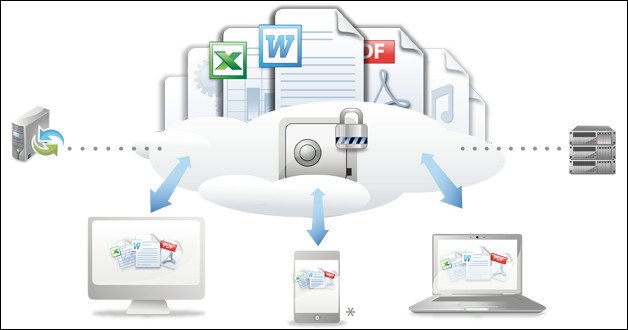
TeamDrive is an application designed to help you transfer and synchronize data across multiple computers that are both online and offline. The application is easy to install and requires no complex configuration. You merely need to have an account to the cloud service that is used to store the data that is to be synchronized. Afterwards, you create a space that you want to share, invite another user and start syncing. The files that you upload to the cloud are automatically transferred to the computer that was invited.
A feature that makes TeamDrive very practical for both small and big businesses is the fact that once this connection between the computers is made it automatically synchronizes the folders whenever something changes. If you have 10 systems connected, when you upload a file from one the content of the shared folder is automatically updated to all of them.
This applies to offline use as well. If the synchronization occurs when your computer is shut down the files are transferred when it goes back online. Looking at a bigger picture, if you’re working on a large scale project with people that are in different locations, the solution that TeamDrive offers is as efficient as possible.
Moreover, your data is encrypted using AES (Advanced Encryption Standard) which means that no one except those with whom you choose to share the data can access it. With that in mind it’s easy to see the full potential of TeamDrive.
And if you’re still not convinced, think of TeamDrive as a means to backup all your important data and store it on a cloud system. You can then access it from anywhere and recover your files and documents in case your personal or work computer malfunctions beyond repair or is corrupted.
In closing, TeamDrive is indeed an application that you can use to share, transfer and backup data in a large number of environments.
Whats New
New Feature
[TDCLIENT-2184] - Space Attribute "No Web Browser allowed" or something like this
[TDCLIENT-2542] - Add support for OutLook add-in
Improvements in the Agent/WebClient HTML Interface
[TDCLIENT-2546] - Add restore-space function
[TDCLIENT-2550] - Import key repositories
[TDCLIENT-2551] - Add perform-backup function
[TDCLIENT-2552] - Restore from backup
[TDCLIENT-2556] - Filtering of activities
[TDCLIENT-2557] - Allow download of previous file versions or deleted files
[TDCLIENT-2559] - Can't upload new file versions via the webportal
[TDCLIENT-2570] - Email notification - add space name in subject line for immediate mails
Bug fixes
[TDCLIENT-2447] - Agent: Show Space's path on Space information/details screen
[TDCLIENT-2567] - Overlays and context menues missing from windows mapped drives
Homepage
Quick check before we show the links
Helps us keep automated scrapers from hammering the filehosts.