ExamDiff Pro Master 9.0.0.15 (x86/x64) Beta
This post was published 9 years ago. Download links are most likely obsolete. If that's the case, try asking the uploader to re-upload.
File size: 23.1 MB
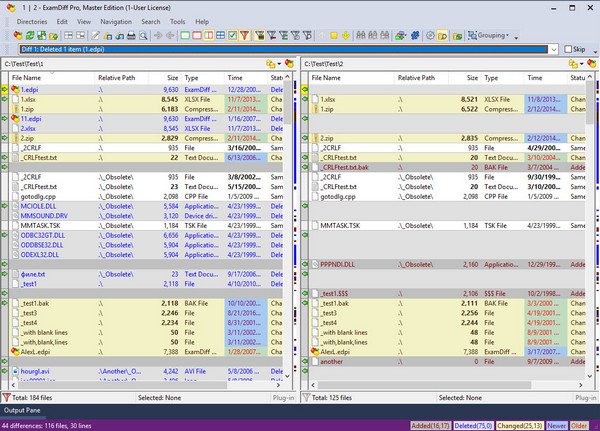
ExamDiff Pro is a powerful yet intuitive and easy to use visual file and directory comparison tool for Windows. It features unique functionality that distinguishes ExamDiff Pro from other comparison programs. If you've been frustrated with other comparison utilities, you will find that ExamDiff Pro offers a much more efficient and user-friendly way to compare files and folders.
Features
Compares text files, binary files, and directories.
Performs two-way and three-way diff and merge.
Highlights differences down to the level of lines, words or characters.
Highlights document syntax.
Fuzzy line matching.
Ability to recognize moved text blocks.
Automated directory synchronization.
Line Inspector panel for easy recognition of differences within lines.
Can perform full file comparison in a background task in directory comparison.
Ability to add manual synchronization points to text file comparison.
Compares directly from Windows Explorer.
Allows file editing within file comparison panes.
Allows copying, renaming, and deleting files or directories.
Saves the file differences in a standard UNIX DIFF file or to a dynamic HTML web page.
Prints and print previews diff reports.
Easy navigation through the differences.
Advanced Search features.
Drag and drop support.
Advanced Ignore options, for ignoring capitalization, white space, programming-language comments, and more.
Word wrapping.
Plug-in support.
Drag and drop support.
Can create directory snapshots for later comparison.
Includes full Unicode support.
Fully customizable.
Release Notes
Bug fixes:
Stopping parallel full comparison caused files to be marked with "Error" status or to be erroneously marked as identical
Options and sessions files were not saved with the Unicode Byte Order Mark (BOM)
Incorrect line numbering after Add Block, Delete Block, and Split Block commands
Improvements:
Better detection of comments for programming languages supported by syntax highlighting
Better text/binary detection
Better performance of 3-Way Diff And Merge
Better performance of parallel full comparison
Explorer context menu is now enabled even if selected files are in different directories (Windows Vista and higher)
Homepage
Quick check before we show the links
Helps us keep automated scrapers from hammering the filehosts.