Microsoft Excel Keyboard Shortcuts: A Comprehensive Guide
This post was published 6 years ago. Download links are most likely obsolete. If that's the case, try asking the uploader to re-upload.
Genre: eLearning | MP4 | Video: h264, 1280x720 | Audio: aac, 44100 Hz
Language: English | Size: 11.4 GB | Duration: 17 hours
What you'll learn
Use and deploy 230+ Excel keyboard shortcuts
Understand the 20 functional groups within Excel
Apply tips, tricks, and keyboard shortcuts to real-world problems
Build a powerful & persuasive professional skillset
Finish tasks with speed & accuracy
Requirements
A Windows version of (i.e., PC version of) Excel 2007, Excel 2010, Excel 2013, or Excel 2016
Description
A Brief Introduction to the Course
Come. Watch. Learn. Conquer. Excel. One Simple Lesson at a Time.
Hi and welcome!
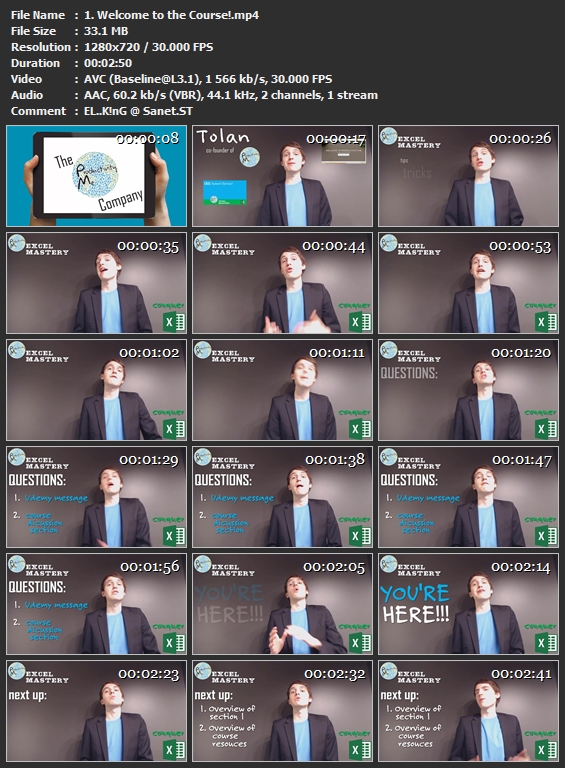
Hi and welcome! My name is Tolan, and I am the co-founder of ProductivityMe.
I’d like to welcome you to Excel Keyboard Shortcuts, where through a series of awesome tips, tricks, and keyboard shortcuts you’ll learn to Master Microsoft Excel, one simple lesson at a time.
Through a comprehensive set of unique, fun, easy-to-follow video tutorials, you can learn to become a Microsoft Excel Power User in less than a week!
What is Included in This Course?
250+ individual lessons
Regular course updates
A dynamic, response Excel file listing all 233 keyboard shortcuts used in the course
A colored PDF reference guide of those 233 keyboard shortcuts
Instant access to course instructor
What is the Purpose of This Course?
Excel has become the industry standard for organizing, analyzing, manipulating, a storing both data and information in tabular form.
Thus, this course is designed to get you up and running as a highly-proficient Excel user by being able to use hundreds Excel's most common actions and functions in seconds.
By the end of this course, you’ll be able to use and deploy more than 230 keyboard shortcuts that will make you AWESOME at Microsoft Excel.
For example, you’ll learn shortcuts like:
Shift + F11 Inserting a New Worksheet (Lesson 04.01)
Ctrl + Shift + "=" Inserting Rows or Columns (Lesson 05.02 or Lesson 05.03)
Shift + Spacebar Selecting an Entire Row (Lesson 07.01)
Ctrl + Spacebar Selecting an Entire Column (Lesson 07.02)
Ctrl + Enter Entering the Same Data in Multiple Cells (Lesson 11.06)
Ctrl + Alt + V Displaying the Paste Special Dialog Box (Lesson 14.10)
Ctrl + Shift + ~ Applying General Format (Lesson 17.01)
Alt + = Autosumming Selected Cells (Lesson 18.04)
Ctrl + ` Toggling Formulas On and Off (Lesson 18.05)
F11 Creating a Chart in New Worksheet (Lesson 19.10)
Alt + F8 Opening the Macro Dialog Box (Lesson 20.06)
More generally, you'll be able to apply keyboard shortcuts for actions such as:
Autosumming cell values & instantly changing their formatting
Adding, formatting, and removing cell borders in a flash
Hiding, grouping, adding, deleting columns and rows
Moving to the next cell, worksheet, or workbook
Copying, moving, or deleting a cell, a selection, or a worksheet in Excel
Expanding or reducing your active selection by one or more cells, columns, or rows
Instantly creating new tables, filters, charts, and PivotTables
Launching macros & the VBA Editor with two simple clicks
And much, much more
In every lesson, we to follow the same logical structure.
Consistent Lesson Structure:
First, we'll provide an introduction to what we’ll cover in the lesson
Then we'll show you the keyboard shortcut
Next we'll show you how to achieve the same result without using the specific shortcut
Then. we'll review what we covered in the lesson
And lastly, we'll discuss what is coming up in the next lesson
Final Thoughts:
ALRIGHT! The quality of our content speaks for itself. Come and check it out today!
See you in a few.
Cheers,
Tolan & Ryan
Course Instructors & ProductivityMe Co-Founders
Who this course is for:
This Course is for PC-users of Microsoft Excel 2007, 2010, 2013, and 2016
Excel for Mac uses a different set of keyboard shortcuts; this course is not recommended for Excel 2011 Mac or Excel 2016 for Mac (unless user is running Windows on Boot Camp or Parallels)
Homepage
Screenshots
Without You And Your Support We Can’t Continue
Thanks For Buying Premium From My Links For Support
Quick check before we show the links
Helps us keep automated scrapers from hammering the filehosts.