Hardware Inspector 6.7.4
This post was published 10 years ago. Download links are most likely obsolete. If that's the case, try asking the uploader to re-upload.
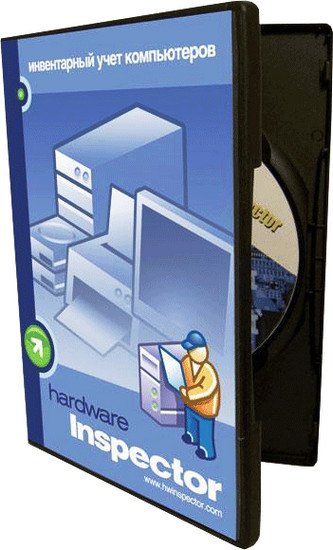
Hardware Inspector 6.7.4 | 37 MB
Hardware Inspector is designed for automating the stocking and inventory of computer hardware and other equipment in businesses. Inventory is extremely necessary to the IT department managers, network administrators, and to other qualified personnel. It helps you to be up to date on your computer park, obtain various reports, and plan maintenance and renewing of your computers. Hardware Inspector’s feature is its capabilities to keep records of not only the hardware’s current state, but also every hardware unit’s life history.
Hardware Inspector provides solution for the tasks of hardware and equipment inventory automation with capabilities of storing the hardware’s entire transfers and maintenance history. Inventory control protects computers and hardware from being stolen or displaced.
Detailed monitoring of computers’ configuration properties ensures freedom and speed in activities of planning the hardware upgrades and relocation. Providing reports on the hardware to the accounting office no longer creates a problem.
Hardware Inspector General features
• Keeping records of workstations with scaling up to individual hardware units. Each hardware unit gets a profile that holds information on the hardware purchase details, technical specifications, history of its transfers between workstations, and servicing.
• Tree-like view of departments and workstations. Hardware units within a workstation are also displayed in a hierarchical tree-like view: e.g. motherboard is located inside the tower, CPU –inside motherboard, and cooler – inside CPU.
• Units (groups of units) are easily moved across the workstations. Each event of such hardware transfer is automatically recorded in the hardware’s history.
• The program maintains history of repairs and other maintenance activities for each hardware unit.
• Capabilities of both manual and automatic data entry into the database. The automatic entry of new hardware units is carried out by importing the hardware descriptions from ASTRA, ASTRA32 and AIDA32 reports. This will relieve you from the routine initial data entry job. The configuration analysis software reads data imprinted into the hardware. Thus, it detects the unit model, its manufacturer, the manufacturer’s www-address, manufacture date, serial number (for HDDs, CPUs, monitors, memory modules and motherboards), and many other technical specifications. Depending on the specific hardware unit, some of the properties may be unlisted by the manufacturer.
• Great number of reports (“Hardware Profile”, “Workstation Profile”, “Stock Numbers”, “IP-Addresses”, “Overall Hardware List”, “Maintenance Performed for the Time Period” etc.) Now you can easily give an account on the company’s hardware to the accounting office or the chief.
• Capability of exporting the reports into MS Excel sheets. User may personally configure the report templates, which are the Excel files describing the reports’ structure.
• The search engine will help you find the hardware unit (or group of units) by a specific criterion. The search filter may include such hardware properties as: type, model, manufacturer, seller, stock number, serial number, search string, etc.
• Supports unlimited number of databases.
• Flexible access permissions. A wide list of access rights to the program’s functions and data allows a very flexible capability configuration for each database user.
• Supports networking; i.e. the same data can be accessed simultaneously by a number of users.
• Capability to export hardware units found through the filter to MS Excel.
• The program includes procedures for maintaining the data integrity and performing the database recovery.
• Keeping records of the hardware warranty periods and predicting their expiration.
• Keeping records of the accounting information on the purchased hardware (when, where at, from who, and by what documents the hardware has been purchased.)
• Keeping records of stock numbers, which can (if desired) be assigned for each hardware unit.
• Information on a workstation: person in charge, IP-addresses, maintenance period, etc.
• Copying computers to other workstations in order to speed up the routine data entry process.
• Customizable interface. The interface text can be easily configured by IMSEditor – the program supplied with Hardware Inspector.
• Hardware description modifications are automatically logged and include the date and the name of the operator who has made the changes.
• The database information’s accuracy is monitored by the workstations’ revisions. Each revision is a record containing a report generated by ASTRA or AIDA32 software. The report analyzer will tell you whether the found new hardware is listed in the database and (if not) will help you enter it.
• Detailed reports on the problems occurring on a user’s workstation while working with specific software provides the developer with means to fix the problems.
[b
Whats New :[/b]]
Innovations:The registered application has a mechanism of species - menu item "View" (saving the filter parameters, a set of columns and sorting).
In the form "Edit application" added the tab "Devices" and "license" for the organization of the links on the device and licenses.
Implemented scan documents via TWAIN-interface in the form of editing the value of the additional parameter to the value "Link to file".
In the tree of additional parameters of objects for an additional parameter to the value "File Link" implemented opening the file by clicking Shift + DClick.
In the form of "Synchronization with Active Directory" button added to "Fields" to adjust the import source for each field via the "macros".
Queries to the database for data source "tree units" column is added to the displayed "IP-address".
In the form of "History of movement of devices," "History of License," "History of the service units", "History of service licenses" and "History of the service workplace," added the tab "Documents".
The forms "Device Properties", "Properties of the license," "Properties stories device maintenance" and "maintenance history Properties license" sold editing props "Document" (arbitrary number of the document by which it was done moving).
In the context menu of the device tree form "User's Choice", "Select the type of application" and "Selecting the position of" added to the menu item "Properties".
The forms "Device Properties", "Properties of the license," "Properties stories device maintenance" and "maintenance history Properties license" realized the challenge form, "Journal of the history of displacement," with prefilling filter "Document Number".
Added ability to disable the storage of data of the accounting information that is restored when you add the next device (menu "Tools" - "Options", "General" tab).
In the report "A list of IP addresses" added birdies "Do not display line c empty IP address," "Do not display line c empty MAC address," "Do not display line c empty accession number," "Display device", "Show jobs" "Show the IP addresses of the devices in a row the workplace" and "displays the MAC addresses of the devices in a row the workplace."
In the form of "The imported field," added the "Reset" button to set the default settings.
In the form of "Replacing Consumables" sold filling inventory number of the new consumable at the disconnected control unique inventory numbers.
The names of tabs form "Edit application" The display of the number of records that are available in the tab.
In the form of "Adding applications" is implemented in the presence of auto-charge technical support rights to the author's request and sole responsibility in the list of those responsible, coinciding with the author of the application.
In the context menu of the user tree form "Properties of the user group" added the menu item "Properties".
Other innovations.
Changes:
Improved synchronization with Active Directory.
Adapted from the context menu in the device tree and licenses.
Improved Template "pie chart" report "Statistics of attributes."
Improved scan documents via TWAIN-interface registry documents and knowledge base.
The reference types and models of devices modified conservation model.
The application settings increased the maximum length of the base paths.
The audit jobs finalized validation of the base path to the configuration report using the $ HOSTNAME $ macro in lowercase.
Improved formation generated tables "Additional parameters of devices," "Advanced settings device models", "Advanced settings licenses", "Advanced Options names by" and "Advanced Settings organizational structure."
In the forms "Select the device model", "Select Device Type", "User's Choice", "Select the type of application," "Selecting the name of the software", "Select the node of the organizational structure," "Choosing positions" and "Selecting a site map" modified update data.
In the forms "Add application" and "Edit application" finalized error messages.
Improved import / export preferences.
The reference "Prohibited software" modified data download.
The registered applications finalized reset the filter.
Improved display of references to the register of documents in the form of references to other tables.
Improved payment deadline of the application.
Improved call form "Device Properties" wood license.
In the form of "Accounting Applications" modified update.
Improved Report "list of IP addresses."
The inventories carried conclusion print dialog when printing labels.
In the form of "List of applications" processed data display in the column "Time to work on the application."
Other changes.
Bugs fixed:
In the form of "Replacing Consumables" bug fixed point new supplies.
The properties form the stories moving the device and licenses, maintenance device, license and workplace fixed error opening file an additional parameter.
Queries to the database for data source "History service devices" and "History of the service license" bugs fixed query for the selection conditions "Seller".
In the form of the "Properties stories maintenance device" bug fix resizing.
The report "Financial Report" bug fixed costing.
The handbook of models and types of devices fixed a bug call form "name of the port", which manifests itself under certain conditions.
The registered applications fixed bug list building applications under certain conditions.
In the form of "Adding applications" bug fix response "OK" button after you click "Apply".
The report "Works" to the style "Standard" Fixed a bug when calculating the overall outcome of the bird off "Show performers" and included bird "Printing the outcome."
In the form of "jobs" Fixed bug when selecting a link to a folder with the configuration report, which manifests itself in the empty base path to the configuration report.
In the form of "Write-off devices" fixed the bug manifested in the absence of jobs with the type of node "written off."
In the form "Edit application" modified mark devices / unmarking devices and fixed error message "The data changed by another user. An operation is impossible."
Other fixes.
Download Links:
Please Don't forget to rate my post if you like it ...