Portable Araxis Merge Professional 2016.4727
This post was published 10 years ago. Download links are most likely obsolete. If that's the case, try asking the uploader to re-upload.
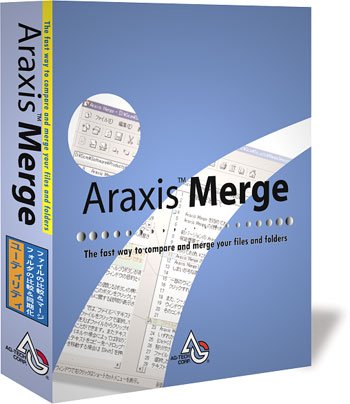
Portable Araxis Merge Professional 2016.4727|All Windows(x32/x64) |rar|91.5 mb
Araxis Merge Professional - is the visual file comparison/merging and folder synchronization application from Araxis.
Attention!
Dear users! We do not forget about our rights holders!
All portable assembly, designed exclusively for the promotion of the software and can be used for informational purposes only!
After testing the program and decide on the usefulness and necessity of you, this software - you are required! remove the assembly and turn to the developer, to purchase a license for a full version. Good luck!
Merge is a particularly useful tool for code review, code audit and release management: the tight integration between file and folder comparison makes it easy to identify and review every change in every source file, even when comparing source hierarchies containing thousands of files.
In-place editing and unique visual two and three-way file/folder comparison and merging make Merge a compelling choice for software developers, product release managers, web designers and other professionals who work with text files, including ASCII, MBCS and Unicode files. English, German, French, International Spanish and Chinese (Traditional and Simplified) are supported as user interface languages; translation of the online help to German, French and International Spanish is underway. A Japanese version of Merge is also available.
For legal and publishing professionals: instantly identify every change between different contract or manuscript drafts. Directly open and compare the text from Microsoft Office (Word and Excel), OpenDocument, PDF and RTF files. Copy text from other applications (such as Microsoft Word) and paste it directly into a text comparison window.
For software engineers and web developers: compare, understand and combine different source file versions. Work quickly and accurately, whether you are comparing individual files or reconciling entire branches of source code. Use three-way comparison to integrate changes made by you, and those made by a colleague, with a common ancestor version. Synchronize a website with its staging area via ftp using the supplied ftp plugin.
For release and quality control managers: compare different source code branches to give total confidence that you know and understand every change made to every file for a specific release. Compare product releases to be certain that only the expected files have been modified. Create an html or xml report of changes for audit purposes.
For code reviewers and auditors: identify in context every change made between two or three source code hierarchies. Create a standalone html or xml report of your findings. Add bookmarks and comments to a file or folder comparison, then save it as a single-file archive for emailing to other team members for review.
Other users: Whether you are working with multiple revisions of text files or need to keep multiple folder hierarchies in sync (for example, between a desktop and laptop machine), Merge could help save time and reduce errors by helping you to work quickly and accurately.
New
Enhancements
Merge is able to access files directly from Git and Mercurial repositories. For more information, please see the integration instructions for Git and Mercurial. [I13015]
Merge offers an in-process Automation server. This capability will be of interest to those using Merge from server based applications such as those hosted by Internet Information Server. As this feature is still very new, please contact us if you are interested in trying it. [I13082]
The folder comparison option Gather line count statistics for inserted and removed files is off by default. [I11874]
The Use filter program in folder comparisons option has been moved to the Folder Comparisons options page. [I11875]
The Additional Registration Details section of the registration dialog has been removed. [I12177]
The major version number has been updated to 2012, reflecting the year of release. [I13040]
Bugs fixed
The Include only pages that contain changes option in the Print dialog now correctly omits pages that only contain lines ignored by matching by regular expressions. [I13057]
When unsaved changes have been made to files in a comparison, a manual recompare now prompts to save the files. [I12913]
In image comparisons, Ctrl+F4 will close the comparison, not the whole application. [I12424]
Two broken external links have been corrected in the online help. [I12932, I12966]
An inappropriate error message pertaining to Perforce is no longer shown in certain circumstances when endeavouring to view a file in a Subversion repository. [I12943]
Content no longer appears more than once in the centre panel of a three-w
Homepage
System Requirements
IBM or compatible Pentium/AMD processor (900 MHz or greater), 512 MB RAM or greater. 1024 x 768, 16-bit display (32-bit recommended)
Windows XP
Windows Vista all SP
Windows 7
Language English
Download :Portable (Size:91.5 mb)