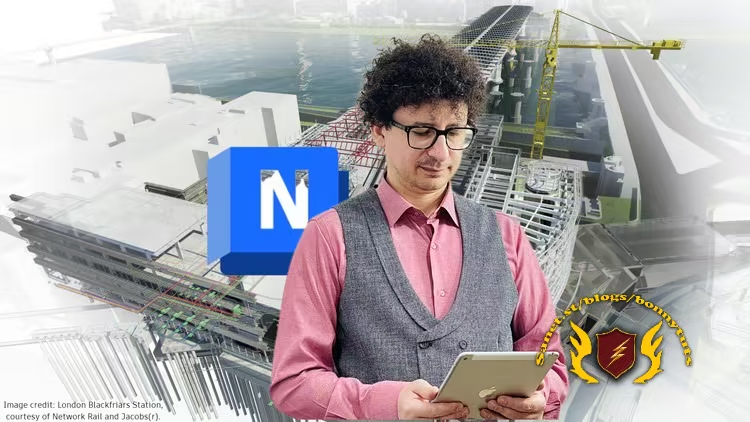
Autodesk Navisworks 2027 - From Zero to BIM Coordination
Last updated 5/2026
Created by Ghasem Ariyani • BIM Manager
MP4 | Video: h264, 1920x1080 | Audio: AAC, 44.1 KHz, 2 Ch
Level: All Levels | Genre: eLearning | Language: English + subtitle | Duration: 171 Lectures ( 19h 48m ) | Size: 23 GB
Clash Detection + 4D Simulation + Animation + Quantification in Navisworks Manage for BIM Modelers and BIM Coordinators
What you'll learn
⚡ Comprehensive Navisworks Interface Mastery
⚡ Clash Detection & Conflict Resolution in Navisworks
⚡ 4D Simulation & Scheduling with Navisworks
⚡ Quantification & Cost Estimation in Navisworks Manage
⚡ Model Aggregation from Multiple Sources
⚡ Search & Selection Sets for Efficient Navigation
⚡ Reporting & Documentation Techniques in Navisworks
⚡ Animation & Visualization Tools in Navisworks
⚡ Collaboration & Issue Tracking in BIM Environments
⚡ File Management & Export Strategies
Requirements
❗ Autodesk Navisworks
DescriptionNote:This is a project-based Autodesk Navisworks Manage course focused on practical BIM coordination and construction workflows. Instead of only explaining tools separately, the course shows how Navisworks is used in a structured and detailed way to bring different project models together, review coordination issues, and support better project decisions.
✨ When architecture, structure, and MEP models come from different teams, is it difficult to bring them together and review them clearly?
✨ Do you already know a little about Navisworks, but still feel unsure how it is used inreal BIM coordination workflows?
✨ When a project needs model review, clash reports, quantity information, or construction simulation, does the workflow feel unclear?
In this course, you will learn Navisworks through a practical step-by-step workflow that starts from basic model handling and gradually moves toward complete BIM coordination tasks. The focus is on understanding how project models are prepared, combined, reviewed, and communicated in a professional construction environment.
You will also learn how Navisworks supports detailed coordination between different disciplines, helps teams find and communicate project issues, and connects model information with construction planning, reporting, and presentation workflows.
Headlines
✨ Complete Autodesk Navisworks Manage workflow for BIM coordination
✨ Navisworks 2025, 2026, and 2027 tools and updates
✨ Practical model review, navigation, viewpoints, sectioning, and visual control
✨ Combining architecture, structure, MEP, CAD, and Revit models
✨ Revit to Navisworks export using NWC, NWD, and DWFx files
✨ Organized Search Sets and Selection Sets for model coordination
✨ Structured model comparison and change review in Navisworks
✨ Detailed clash detection with Clash Detective, rules, results, and reports
✨ Quantity takeoff and quantification workflows for construction projects
✨ 4D simulation with TimeLiner and Microsoft Project schedules
✨ Construction animation and simulation for clearer project presentation
✨ Professional review tools, measurements, markups, tags, and coordination comments
Enroll now and start learning Autodesk Navisworksthrough a practical, project-based BIM coordinationworkflow. If you have any questions during the course, I’m available 24/7 every day of the week to support you and help you become more confident using Navisworks for real BIM and construction coordination tasks.
Who this course is for
⭐ BIM Modelers
⭐ BIM Coordinators
⭐ BIM Managers
⭐ Revit Users
⭐ 3D Modelers
⭐ Construction Managers
⭐ Project Managers
⭐ Architects
⭐ Civil Engineers
⭐ MEP Modelers
Welcome to My Blog - Check it Every Days
If you have any troubles with downloading, PM me
Please Buy Premium Account from my links to get high download speed and support me
Happy Learning!!
Quick check before we show the links
Helps us keep automated scrapers from hammering the filehosts.